Soft shadow drawn around an elevated surface. More...
#include <headers/guillaume/components/elevation.hpp>
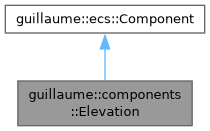
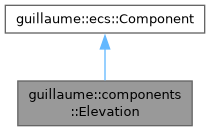
Public Member Functions | |
| Elevation (void) | |
| Construct an elevation resolved from the Level1 token of the active theme. The component starts unchanged. | |
| ~Elevation (void)=default | |
| Default destructor for the Elevation component. | |
| float | getLevel (void) const |
| Get the factor applied to the spread. | |
| Elevation & | setLevel (float level) |
| Set the factor applied to the spread. | |
| int | getLayers (void) const |
| Get the number of shapes the shadow is made of. | |
| Elevation & | setLayers (int layers) |
| Set the number of shapes the shadow is made of. | |
| float | getSpread (void) const |
| Get how far the shadow reaches beyond the bound. | |
| Elevation & | setSpread (float spread) |
| Set how far the shadow reaches beyond the bound. | |
| utility::graphic::Color32Bit | getColor (void) const |
| Get the shadow color. | |
| Elevation & | setColor (const utility::graphic::Color32Bit &color) |
| Set the shadow color. | |
| Elevation & | setElevationLevel (theme::ElevationLevel level) |
| Resolve the shadow from a Material 3 elevation level. | |
| theme::ElevationLevel | getElevationLevel (void) const |
| Get the level last applied with setElevationLevel(). | |
| bool | hasShadow (void) const |
| Check whether a visible shadow must be painted. | |
| Public Member Functions inherited from guillaume::ecs::Component | |
| bool | hasChanged (void) const |
| Tell whether a value of the component changed since the flags were last reset (the end of the previous frame). | |
| void | setHasChanged (bool hasChanged) |
| Raise or lower the changed flag. | |
| Component (void)=default | |
| Create a component that is not marked as changed. | |
| virtual | ~Component (void)=default |
| Virtual destructor, so components can be destroyed through the base class. | |
Detailed Description
Soft shadow drawn around an elevated surface.
systems::ElevationRender (Render phase) reads it with the entity's Transform and Bound. It draws getLayers() rounded shapes centered on the bound: layer i (from 1 to the layer count) is larger than the bound by spread * level * i / layers on every side and its alpha is the shadow alpha times 1 - i / layers, which approximates a blurred shadow.
The usual way to set it is setElevationLevel(), which resolves the spread and the opacity from the elevation scale of the active theme. Widget systems do so for their surfaces (systems::SurfaceTone, systems::Card, the button systems, ...); setLevel(), setSpread() and setColor() then adjust one value, for example while animating between two levels.
- Note
- setElevationLevel() overwrites the level factor, the spread and the color: call the fine-grained setters after it, never before.
- A freshly constructed component is at Level1, so adding it to an entity is enough to draw a shadow.
Definition at line 62 of file elevation.hpp.
Constructor & Destructor Documentation
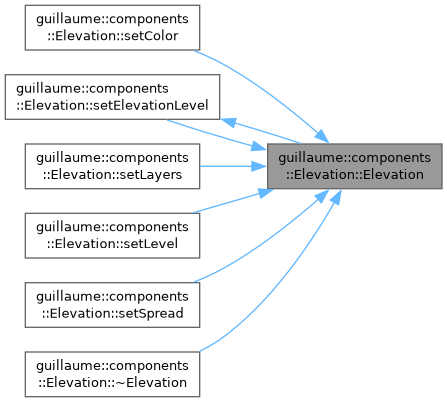
◆ Elevation()
| guillaume::components::Elevation::Elevation | ( | void | ) |
Construct an elevation resolved from the Level1 token of the active theme. The component starts unchanged.
Definition at line 29 of file elevation.cpp.

Member Function Documentation
◆ getColor()
| utility::graphic::Color32Bit guillaume::components::Elevation::getColor | ( | void | ) | const |
Get the shadow color.
- Returns
- A copy of the color; its alpha sets how opaque the shadow is.
Definition at line 111 of file elevation.cpp.
◆ getElevationLevel()
| theme::ElevationLevel guillaume::components::Elevation::getElevationLevel | ( | void | ) | const |
Get the level last applied with setElevationLevel().
- Returns
- The level (Level1 on a new component). It does not reflect later calls to setLevel(), setSpread() or setColor().
Definition at line 56 of file elevation.cpp.
◆ getLayers()
| int guillaume::components::Elevation::getLayers | ( | void | ) | const |
Get the number of shapes the shadow is made of.
- Returns
- The layer count (4 by default).
Definition at line 81 of file elevation.cpp.
◆ getLevel()
| float guillaume::components::Elevation::getLevel | ( | void | ) | const |
Get the factor applied to the spread.
- Returns
- 0 when no shadow is painted, 1 after setElevationLevel() with any level above Level0, or the value given to setLevel().
Definition at line 66 of file elevation.cpp.
◆ getSpread()
| float guillaume::components::Elevation::getSpread | ( | void | ) | const |
Get how far the shadow reaches beyond the bound.
- Returns
- The spread, in dp, for a level factor of 1.
Definition at line 96 of file elevation.cpp.
◆ hasShadow()
| bool guillaume::components::Elevation::hasShadow | ( | void | ) | const |
Check whether a visible shadow must be painted.
- Returns
- True when the level factor is above 0 and the alpha of the shadow color is not 0.
Definition at line 61 of file elevation.cpp.
◆ setColor()
| Elevation & guillaume::components::Elevation::setColor | ( | const utility::graphic::Color32Bit & | color | ) |
Set the shadow color.
Marks the component changed only when the color differs. setElevationLevel() replaces it with black at the token's opacity.
- Parameters
-
color The color; an alpha of 0 paints no shadow.
- Returns
- This component, for chaining.
Definition at line 116 of file elevation.cpp.

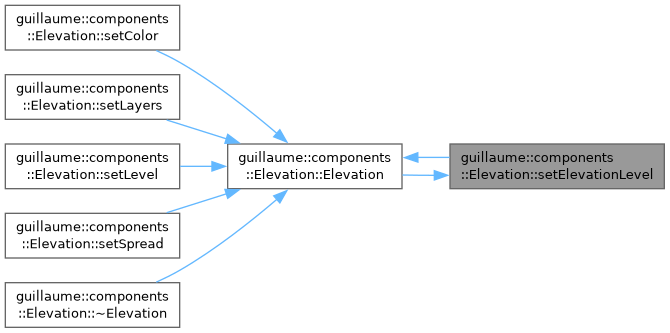
◆ setElevationLevel()
| Elevation & guillaume::components::Elevation::setElevationLevel | ( | theme::ElevationLevel | level | ) |
Resolve the shadow from a Material 3 elevation level.
Reads the token of level in the active theme and writes three values: the level factor (0 for Level0, 1 otherwise), the spread and the color (black at the token's opacity). Level0 therefore paints no shadow. The component is marked changed only when one of the resolved values differs, so calling it every frame is cheap and still picks up a theme change.
- Parameters
-
level The Material 3 elevation level.
- Returns
- This component, for chaining.
Definition at line 35 of file elevation.cpp.

◆ setLayers()
| Elevation & guillaume::components::Elevation::setLayers | ( | int | layers | ) |
Set the number of shapes the shadow is made of.
More layers give a smoother fade for more triangles. Marks the component changed only when the value differs.
- Parameters
-
layers The layer count; systems::ElevationRender draws at least 1 layer whatever the value.
- Returns
- This component, for chaining.
Definition at line 86 of file elevation.cpp.

◆ setLevel()
| Elevation & guillaume::components::Elevation::setLevel | ( | float | level | ) |
Set the factor applied to the spread.
The shadow reaches spread * level dp beyond the bound. This is a plain multiplier, not a theme::ElevationLevel; to pick a Material level use setElevationLevel(). Marks the component changed only when the value differs.
- Parameters
-
level The factor; 0 or less paints no shadow.
- Returns
- This component, for chaining.
Definition at line 71 of file elevation.cpp.

◆ setSpread()
| Elevation & guillaume::components::Elevation::setSpread | ( | float | spread | ) |
Set how far the shadow reaches beyond the bound.
Marks the component changed only when the value differs. setElevationLevel() replaces it with the token's spread.
- Parameters
-
spread The spread, in dp, for a level factor of 1.
- Returns
- This component, for chaining.
Definition at line 101 of file elevation.cpp.

The documentation for this class was generated from the following files:
- headers/guillaume/components/elevation.hpp
- sources/components/elevation.cpp
